Six screens, three moods, two colourways.
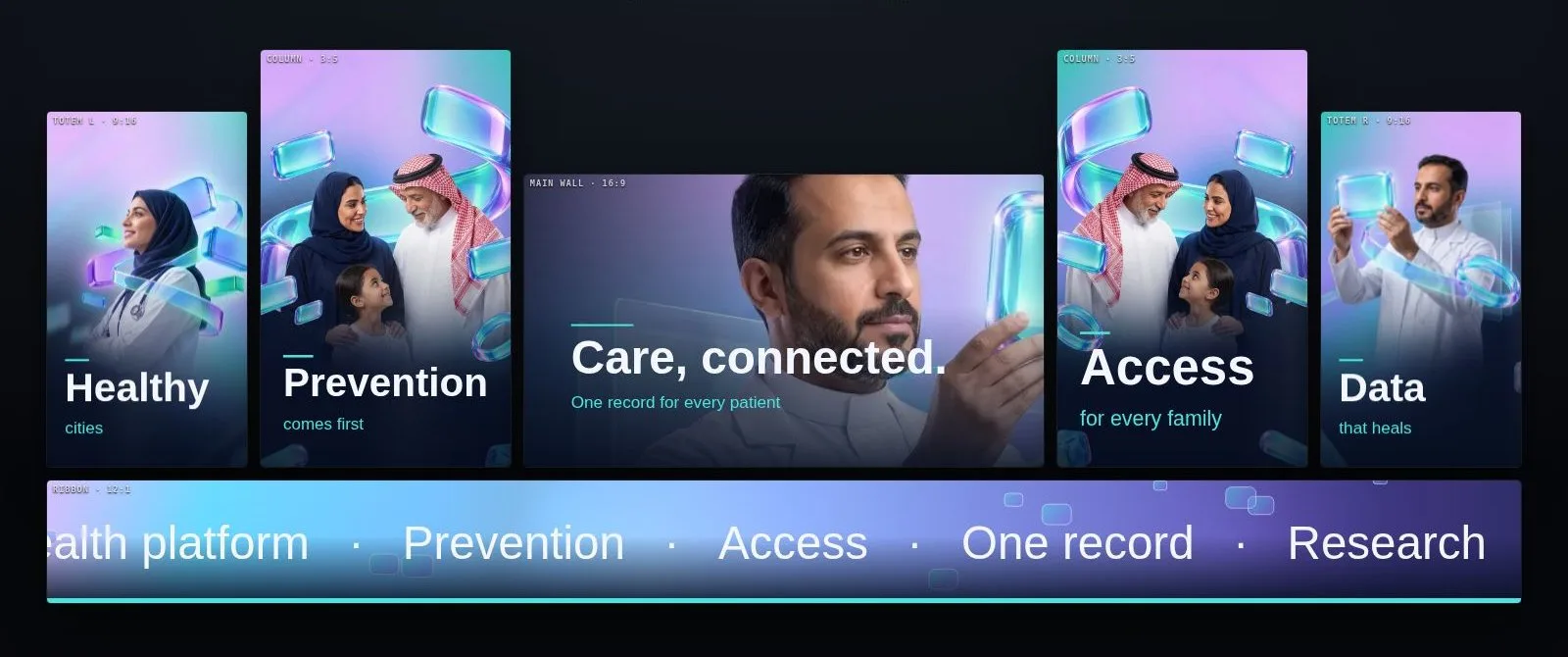
A national health body needed content for every surface of its stand and a touch kiosk for visitors. We designed all of it in Showline and shared it as a room the client could switch live: people, graphics or a quiet minimal mode, a night or a day colourway, English or Arabic, on the real proportions of the stand.
Switch it like the client did.
This is the approval room with the client brand removed. Every button changes all six surfaces at once, at their real ratios: 9:16 totems, 3:5 columns, a 16:9 main wall and a 12:1 ribbon.
From the idle loop to a topic.
The kiosk idles on a glass loop, offers six topics in two languages, and opens each one with a glass transition into its own 3D object. The flow was designed and timed in Showline before the developers built the touch app.
Glass ribbons breathe behind the logo until someone walks up.
Language switch and six topics, sized for a finger at arm's length.
A glass wipe carries the visitor from the menu into the topic.
A 3D object for the topic with three short facts, then back to idle.
One system for every screen.
Moods, colourways and languages are project settings, not separate files, so the client approved one system instead of sixty renders.
Every LED surface set up at its real ratio and pixel size.
People, graphics and minimal versions of the same story.
Glass night and clinical day, switched in one click.
Right-to-left headlines and a ticker that reads correctly.
Idle, menu, transition and topic states timed for touch.
One link with live switches replaced rounds of PDFs.
Your surfaces, your brand, this toolset.
Every tool on this page was configured for one client and one venue. Send us the pixel maps, a venue drawing or a photo and the show date: we set Showline up around your project and walk you through it on your own content.